
Spanish or English · Ages 2 to 5
Preschool in Spanish or English, read aloud

Get the app on your phone


- No ads
- No in-game purchases
- PIN-locked grown-ups area
- Every instruction read aloud
- One profile per child
For families in the United States, whether they speak Spanish or English at home. Ziippi is a preschool app for ages 2 to 5, in Spanish or English for each child: numbers, letters, colors and feelings, with every instruction spoken aloud so children who don’t read yet can play on their own.
See how it worksHow it works
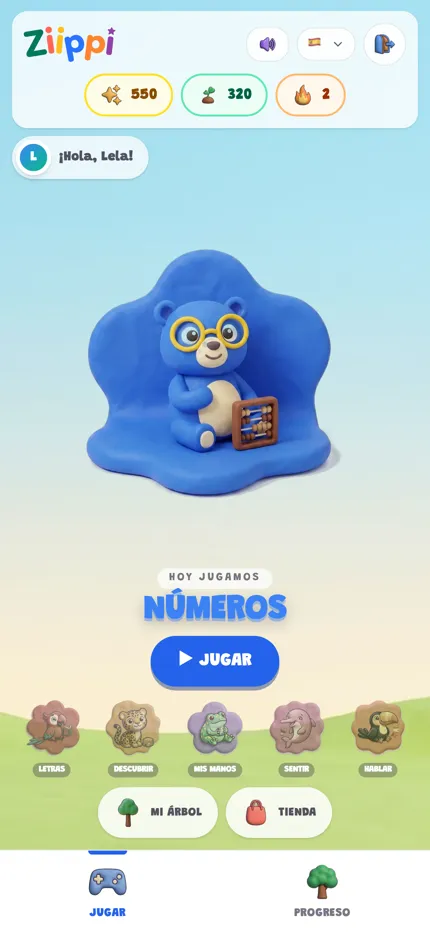
Step 1:They pick an area
Your child picks an island on the play screen. For now the island names appear in Spanish, as in this screenshot.
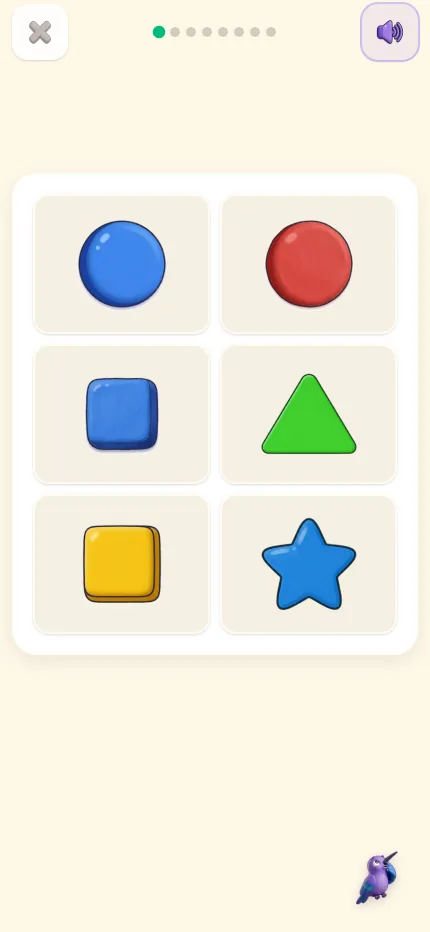
Step 2:They play, guided by voice
Every instruction is spoken aloud and answered by tapping or dragging. No reading needed.
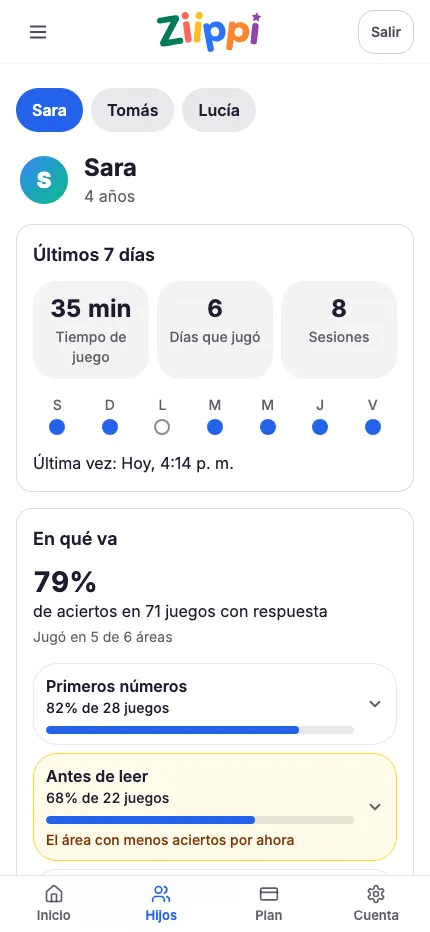
Step 3:You see their progress
In the PIN-protected grown-ups area you see each child’s progress in the topics they have played, and their sessions.
Getting started
Before you start: one language per child
Each child’s profile plays in Spanish or in English, and you choose which. Set to Spanish, activities and spoken instructions are in Spanish and are not translated: that works well for a child who hears Spanish at home. If your child does not understand Spanish yet, sit with them for the first sessions or choose English.
Who it is for
 Who it is for
Families who speak Spanish at home and want their child to practice preschool basics in that language: counting, letters, colors, shapes and naming feelings. It also suits families whose child hears Spanish from grandparents or a caregiver and who want a short daily moment in Spanish. Families who speak English at home can set their child’s profile to English instead.
Areas to choose from
 Areas to choose from
Numbers, Letters, Discover, My hands, Feelings and Speak, in English or Spanish. Set to English, Speak is where your child learns first words in Spanish. Your child picks an area, listens to the instruction and answers by tapping or dragging. They can listen again before answering.
One profile per child, no ads
 One profile per child, no ads
Each child has their own profile with their name and age, so siblings can share a device without mixing their progress. No ads, and nothing in the child’s area costs real money: the in-game shop only takes seeds earned by playing. Account settings and the subscription live in the parent area, behind an adult PIN, where you can also see progress by topic and a calendar of sessions.
How billing works
 How billing works
Without a subscription, your family gets 3 free exercises a day, shared by the whole account. For unlimited play, Ziippi Premium is a subscription bought through the App Store or Google Play. Eligible accounts get a trial when they confirm in the store. After that, the plan you choose is charged and renews automatically unless you cancel it in the store before the renewal date. The store shows the exact price and date before you accept.
How each area plays
Real exercises from the app. They play when you scroll to them.
Letters
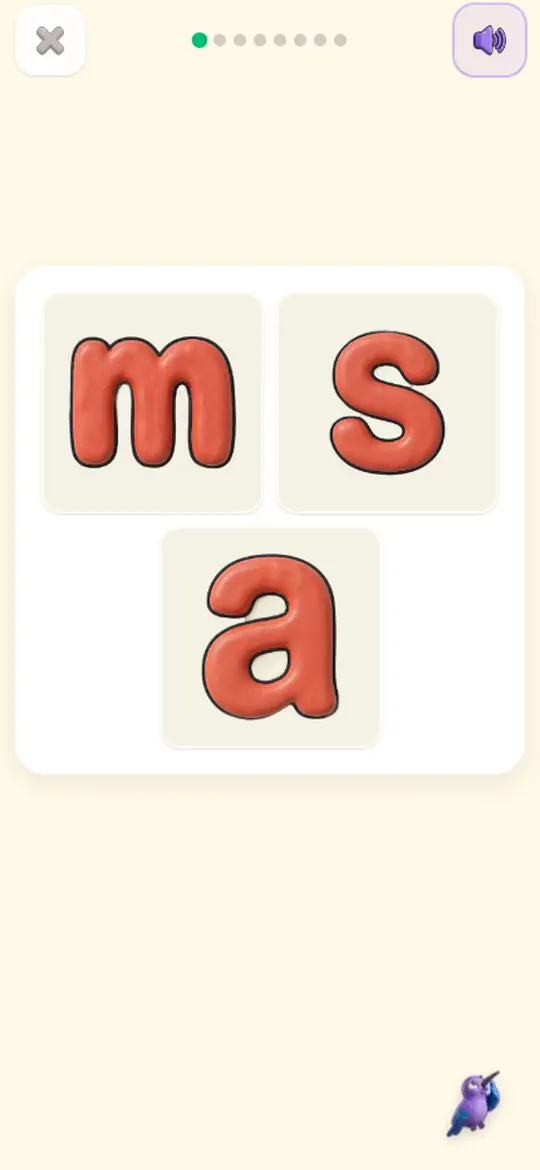
Hears “sss… sun” and taps the letter that makes that first sound: s.
Discover
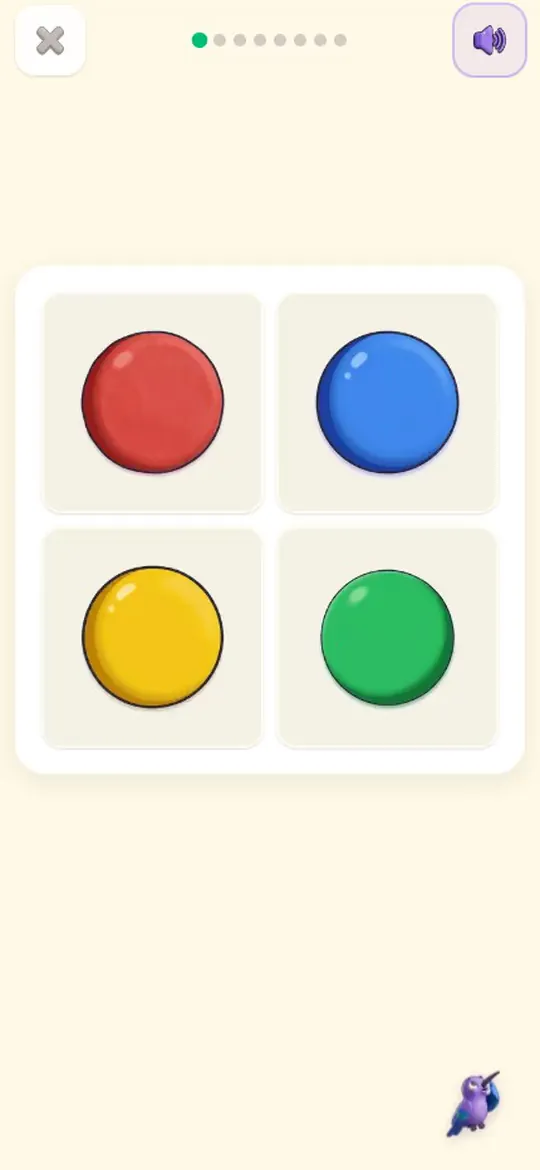
Asked “Which one is red?”, picks the red circle.
My hands
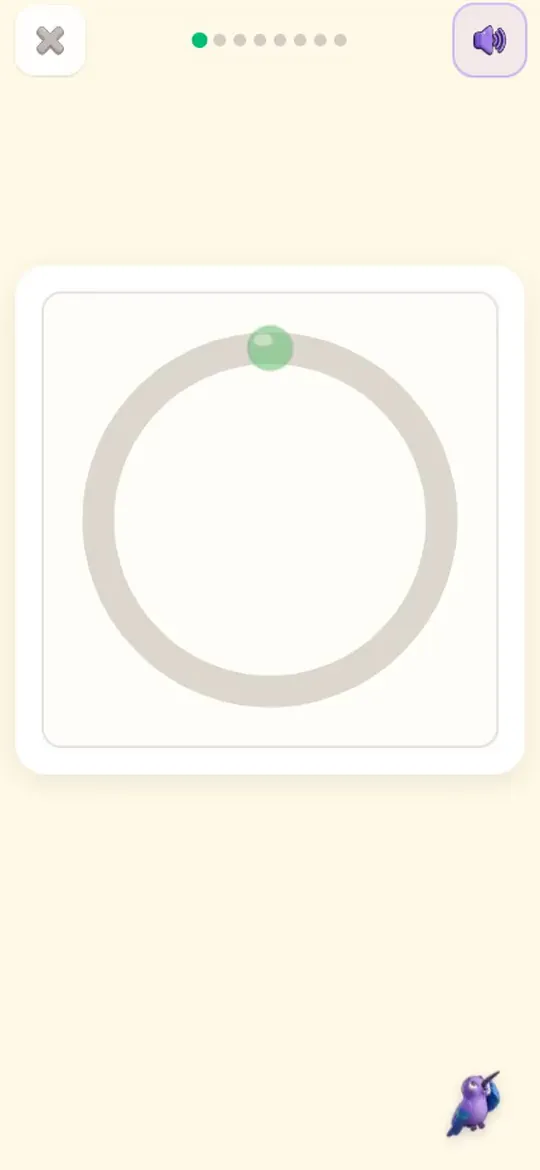
“Trace the circle”: follows it with a finger, all the way around.
Feelings
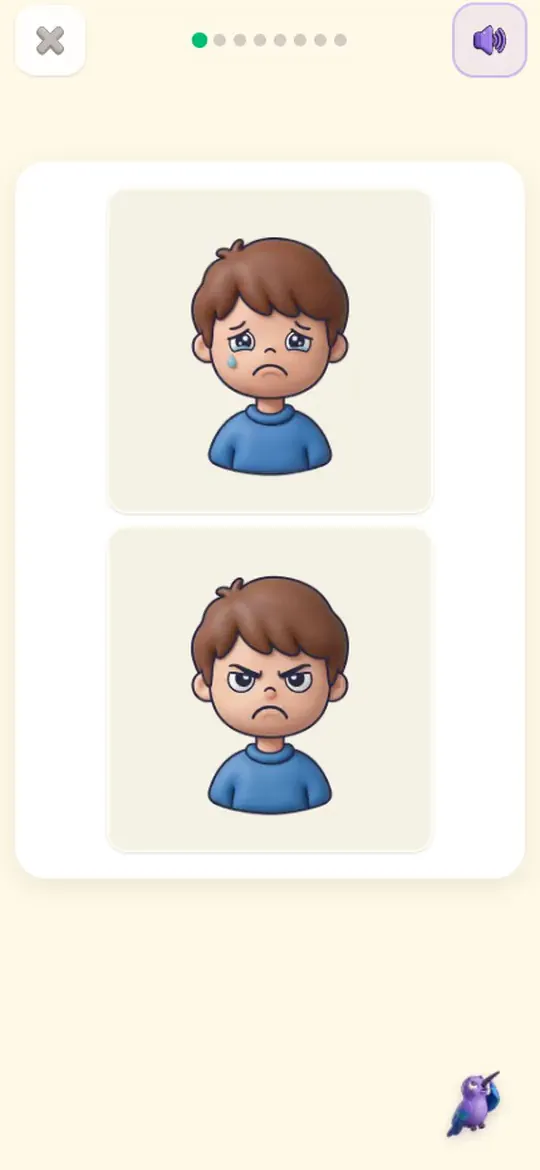
“Tap the sad face”: tells sad apart from angry.

Frequently asked questions
What language are the activities in?
Spanish or English, chosen for each child. Every instruction is read aloud in that language. In English there are six areas too, and in Speak your child learns first words in Spanish.
What ages is it for?
Ages 2 to 5, the preschool years.
Can siblings use it?
Yes. Each child has a separate profile with their own progress, and you switch between them from the family screen.
Is Ziippi free?
You can use it without paying. Downloading the app and creating an account are free. On the first day your child plays one full session; from the next day on, your family gets 3 free exercises every day, with no subscription. The 3 are shared by the whole account, not per child. A Ziippi Premium subscription means unlimited play: it is bought through the App Store or Google Play and renews automatically unless you cancel in the store before the renewal date.
How do I cancel?
From your subscriptions in the App Store or Google Play, depending on where you subscribed. Cancel before the renewal date to avoid the next charge.
Does it need internet?
Yes, to load each session and save progress.
Try an activity with Ziippi
Explore an activity and see how you can help your child.
Try an activityPrefer the app? Find it in your store.